> ## Documentation Index
> Fetch the complete documentation index at: https://docs.brew.new/llms.txt
> Use this file to discover all available pages before exploring further.
# Reference email
> Give Brew a design baseline by sharing an email you like. Brew uses its layout and structure as a guide for new emails.
## Why set a reference email?
Without a reference email, Brew is highly creative. Every generation tries different layouts, structures, and design approaches. That's great if you're still figuring out what your emails should look like.
Most brands want consistency, though. A reference email tells Brew which design patterns to follow. Brew studies its structure, spacing, and layout, then applies your brand identity (colors, fonts, voice) to every new email it generates.
A reference email is a design guide, not a template. Brew learns your preferred patterns and applies them to new content. It doesn't copy the email.
When you [remix a template](/create-emails/templates), the remixed template takes priority and your reference email is ignored for that generation. Your reference email is only used when generating from a prompt.
## How to add a reference email
Browse the email gallery directly in Brew. Pick one you like and Brew uses it as a blueprint, applying your brand identity to the structure and layout.
Best for teams without an existing email design system, or teams overhauling what they have.
Forward an email you like to `hello@email.brew.new`. Brew processes it automatically and sets it as your design baseline.
Best for teams that already send emails they want Brew to match. Forward one of your own.
If neither option matches what you want, generate a campaign in Brew, refine it until the design is perfect, then save it as a template from the kebab menu `(...)`. Set it as your reference email from the Brand tab.
This gives you full control over your design baseline without needing an external email.
## FAQ
No, but it's recommended. Without one, Brew defaults to general best practices. A reference helps Brew generate emails that feel tailored to your style.
Yes. Brew learns the structure and design patterns, not the brand. Your emails still use your own colors, fonts, logo, and voice.
One at a time. You can replace it from the Brand tab whenever your design preferences change.
## How to remove a reference email
You can remove your current reference email in a few ways:
* **From the same email**: Open the email currently set as your reference and remove it as the reference (the inverse of setting one).
* **By replacing it**: Set another email as the reference. The new one replaces the old.
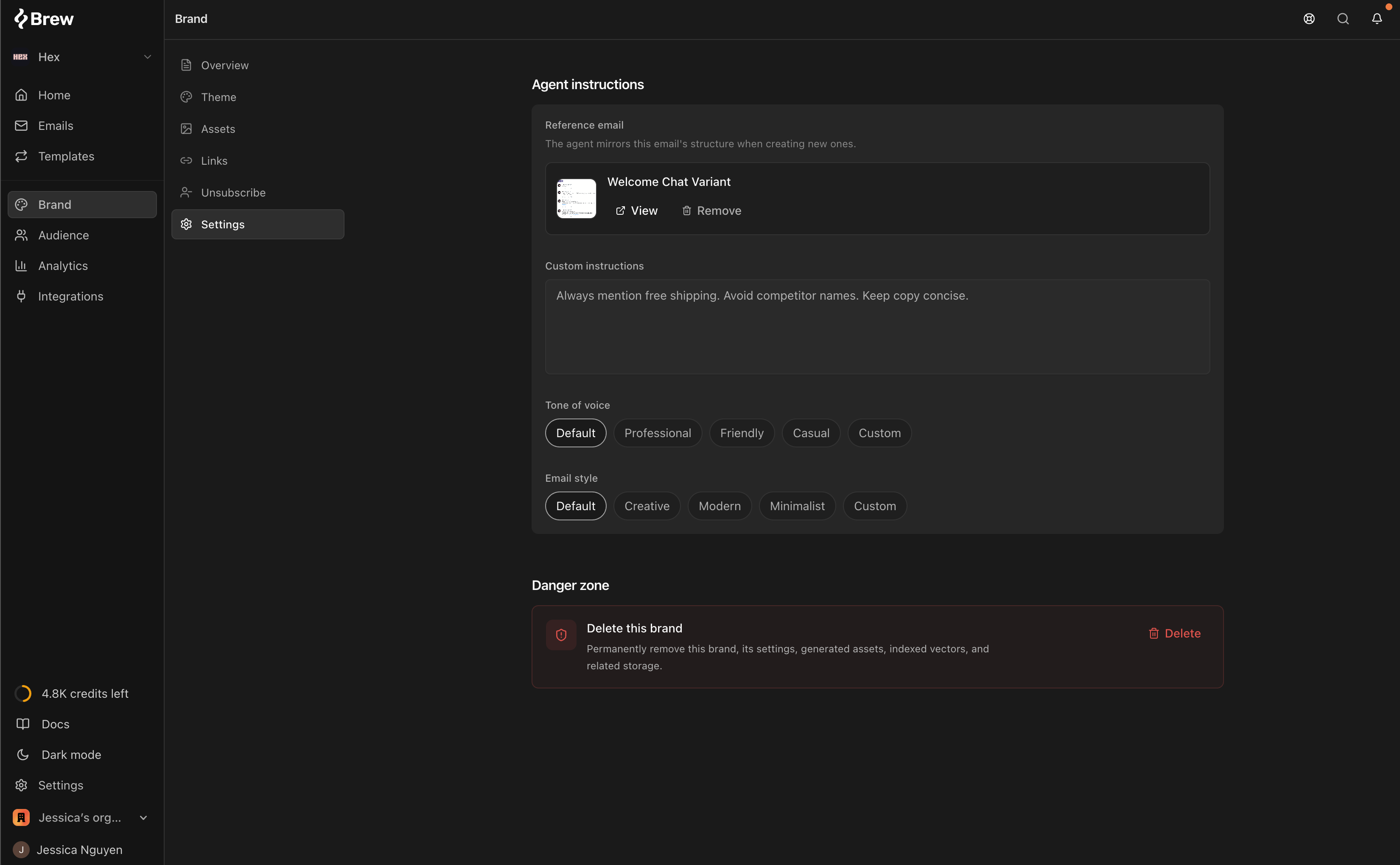
* **From Brand settings**: Go to **Brand > Settings**, find the reference email, and delete it from there.
## Need Help?
Our team is ready to support you at every step of your journey with Brew. Choose the option that works best for you:
Type in the "Ask any question" search bar at the top left to instantly find relevant documentation pages.
Click "Open in ChatGPT" at the top right of any page to analyze documentation with ChatGPT or Claude for deeper insights.
Book time with our founders for personalized guidance on strategy, best practices, or complex implementation questions.
Need immediate assistance? Reach us at **+1-(332)-203-2145** for urgent issues or time-sensitive questions.
Our preferred support channel. You'll receive an invite after signup for direct founder support and fast responses.
Contact us at **[support@brew.new](mailto:support@brew.new)** for detailed inquiries or if you prefer not to use Slack.