> ## Documentation Index
> Fetch the complete documentation index at: https://docs.brew.new/llms.txt
> Use this file to discover all available pages before exploring further.
# Preview an Email Across Real Inboxes
> See how a design renders in Gmail, Outlook, Apple Mail, iOS, and Yahoo before you send.
**July 2026** · Available on all plans.
## What Shipped
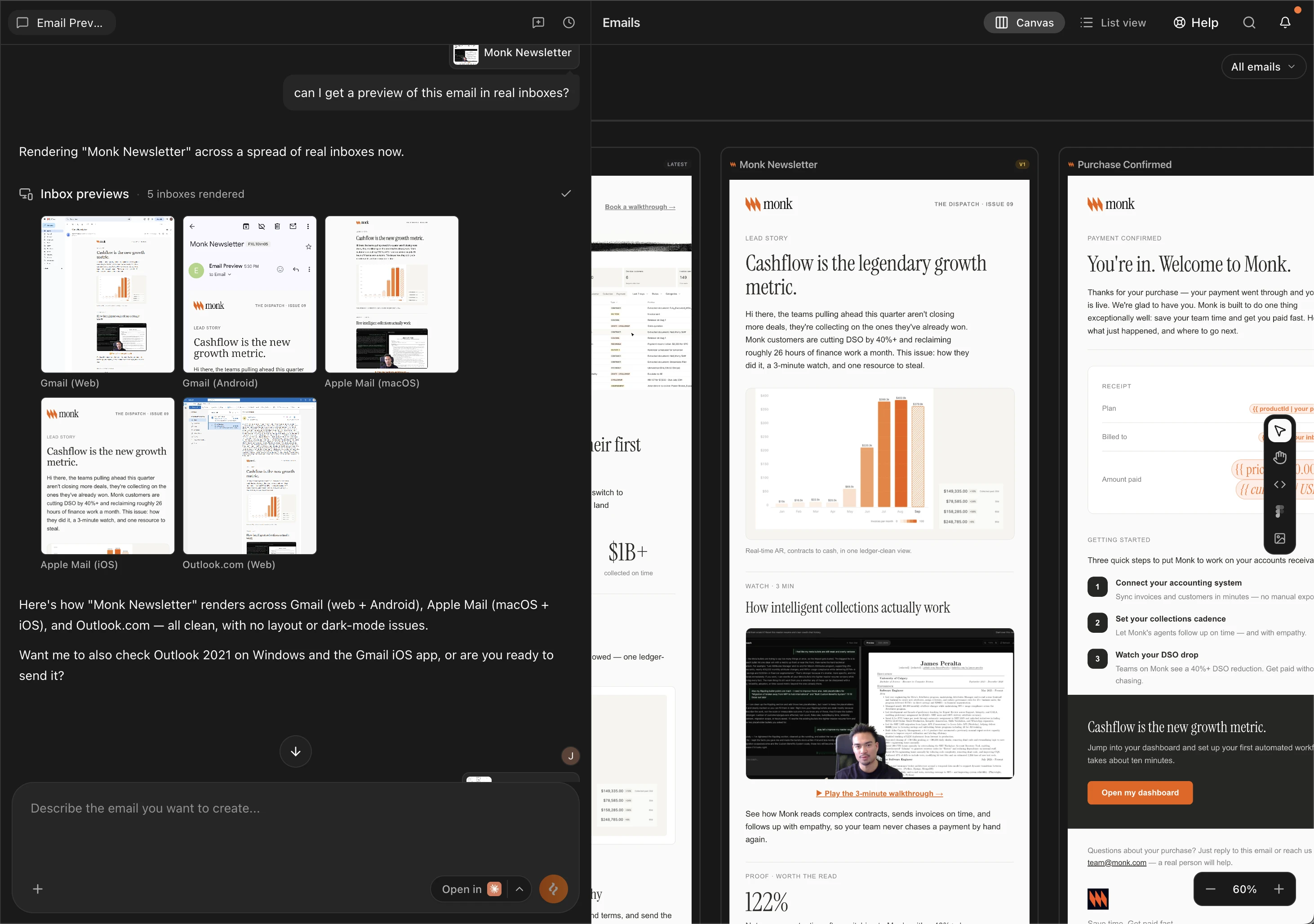
Brew can now render any design across real email clients and devices (Gmail,
Outlook, Apple Mail, iOS with dark-mode variants, and Yahoo) and returns a
screenshot per client. Catch a broken Outlook table or a dark-mode
contrast issue before the send goes out.
 ## How to Use It
Open the email you want to check and click **Add to chat**. This brings
that design into the conversation so the preview runs against it.
Prompt the chat for a preview. Name specific inboxes if you have them in
mind:
> *"Preview this across real inboxes."*
> *"Preview this in Gmail mobile and Apple Mail dark mode."*
Leave it open-ended and Brew runs a default spread of Gmail, Outlook,
Apple Mail, and iOS.
Preview images come back per client in the chat. Click any of them to
open the full-size render in a new tab. Slow clients show as **Pending**;
ask again to fetch just those.
## From MCP
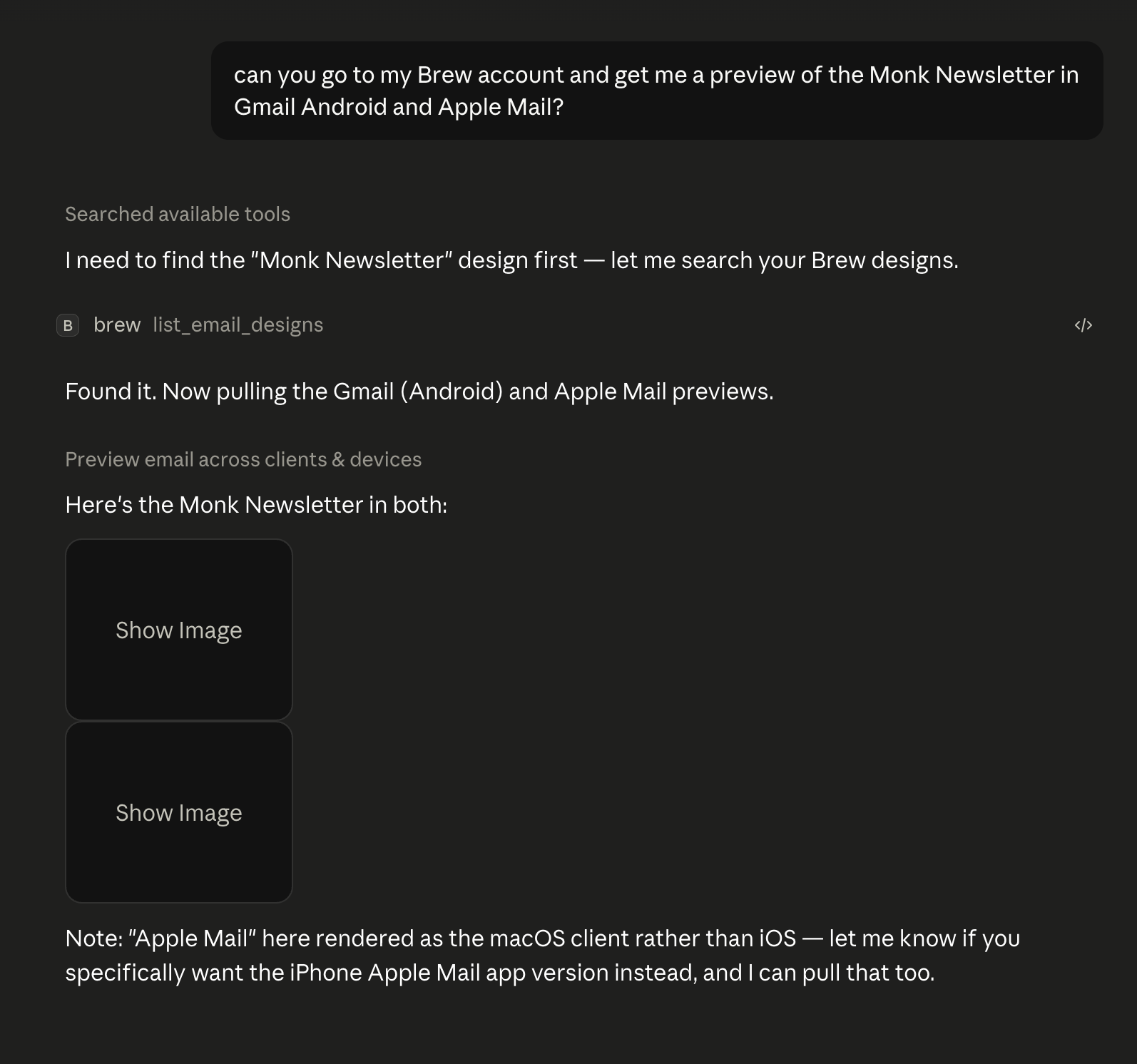
If Brew is [connected to your AI client](/api-reference/mcp/quickstart), previews
run from any chat. Reference the email you want checked and ask:
> *"Preview the launch email in Apple Mail and Gmail."*
The agent calls `preview_email_across_clients` and replies with the preview
images, hosted on Brew's CDN. Click any of them to open the full-size render
in your browser.
## How to Use It
Open the email you want to check and click **Add to chat**. This brings
that design into the conversation so the preview runs against it.
Prompt the chat for a preview. Name specific inboxes if you have them in
mind:
> *"Preview this across real inboxes."*
> *"Preview this in Gmail mobile and Apple Mail dark mode."*
Leave it open-ended and Brew runs a default spread of Gmail, Outlook,
Apple Mail, and iOS.
Preview images come back per client in the chat. Click any of them to
open the full-size render in a new tab. Slow clients show as **Pending**;
ask again to fetch just those.
## From MCP
If Brew is [connected to your AI client](/api-reference/mcp/quickstart), previews
run from any chat. Reference the email you want checked and ask:
> *"Preview the launch email in Apple Mail and Gmail."*
The agent calls `preview_email_across_clients` and replies with the preview
images, hosted on Brew's CDN. Click any of them to open the full-size render
in your browser.
 ## From the API
The same feature is available at `POST /v1/emails/{emailId}/client-previews`
and as `brew.emails.previewClients(...)` in the TypeScript SDK. See the
[API Reference](/api-reference/api/api-introduction) for the full client
catalogue.
## Related
* [The Interface](/create-emails/the-interface)
* [Prompt Guide](/create-emails/prompt-guide)
## From the API
The same feature is available at `POST /v1/emails/{emailId}/client-previews`
and as `brew.emails.previewClients(...)` in the TypeScript SDK. See the
[API Reference](/api-reference/api/api-introduction) for the full client
catalogue.
## Related
* [The Interface](/create-emails/the-interface)
* [Prompt Guide](/create-emails/prompt-guide)