

- Valid. The mailbox exists and accepts mail.
- Risky. Deliverable, but worth a look: a role account (
info@,support@), a disposable address, or a catch-all domain that accepts everything. - Invalid. The address can’t receive mail. Don’t send to it.
reason and, where a typo looks likely, a didYouMean correction (gamil.com to gmail.com). Brew saves each completed verdict on the matching contact. When a check is unavailable, the contact keeps its existing verdict. Failed saves are reported separately.
A contact that was never checked has no verdict. Brew’s free format check only flags what it can see without a deliverability check: risky addresses (disposable or role) and invalid ones. Only a real check marks an address valid, and a checked contact also records when it was checked (lastValidatedAt).
Validation draws on the same credit balance as email generation:
- Bulk validation costs 2 credits for each address with a conclusive verdict.
- The API batch check bills every submitted address when at least one has a conclusive verdict. A batch with no conclusive verdict is free.
From an Audience
This is the most credit-efficient way to validate. Open the audience, click the three-dot menu at the top right (next to Download CSV), and choose Validate contacts. Bulk validation skips unsubscribed and suppressed contacts. It reuses any provider check from the last 30 days, including completed checks that were inconclusive. An outage doesn’t mark an address as checked.On CSV Import
The CSV import has a validation checkbox. Tick it to check each address as it’s imported. If a check is unavailable, the address gets no new verdict, so review the validation results before you send.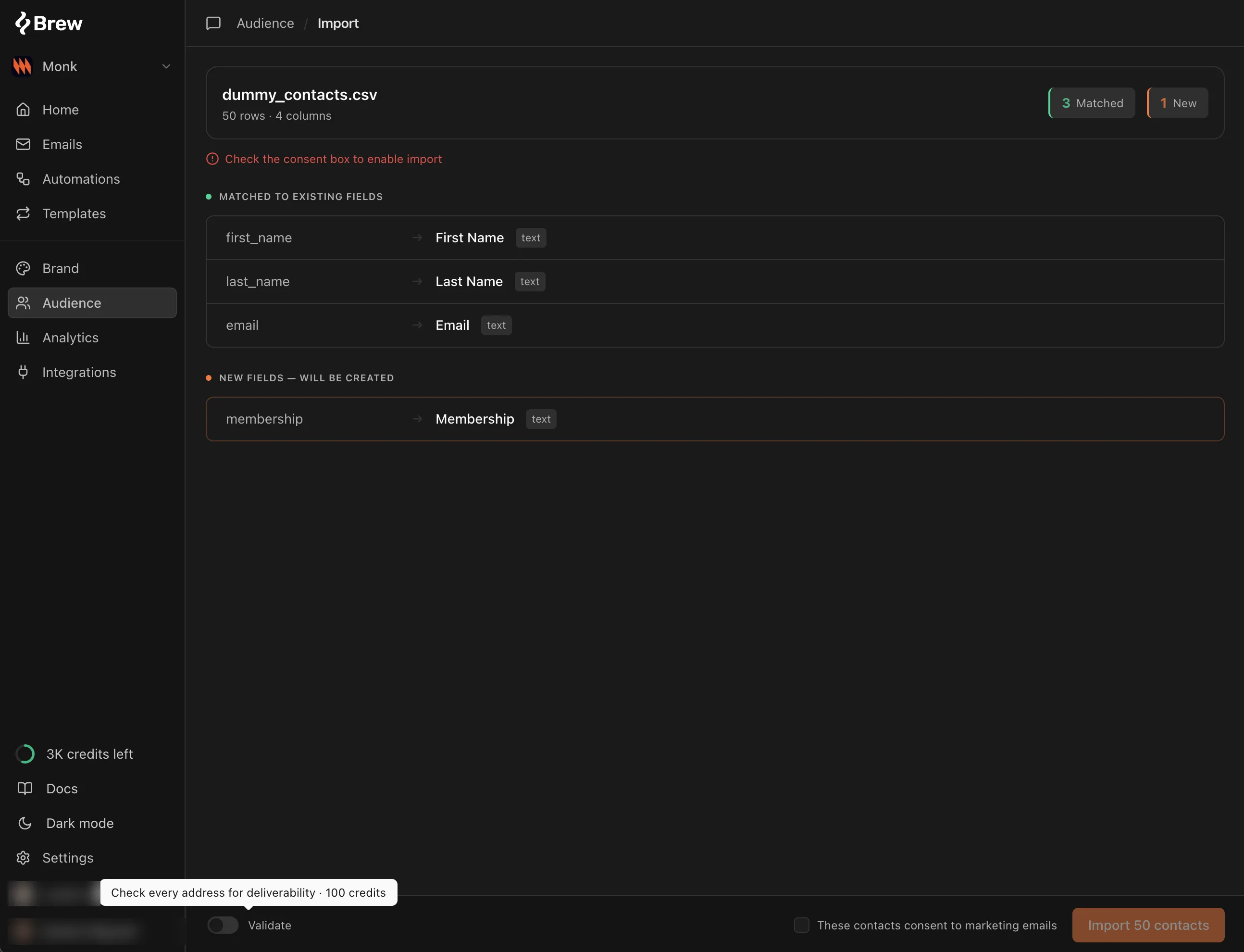
When Adding a Contact Manually
The add-contact form has the same checkbox. Tick it and the address is checked as it’s saved.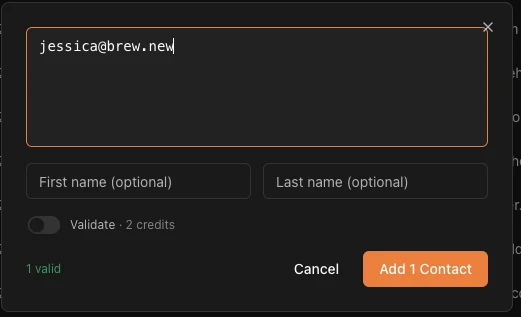
From MCP
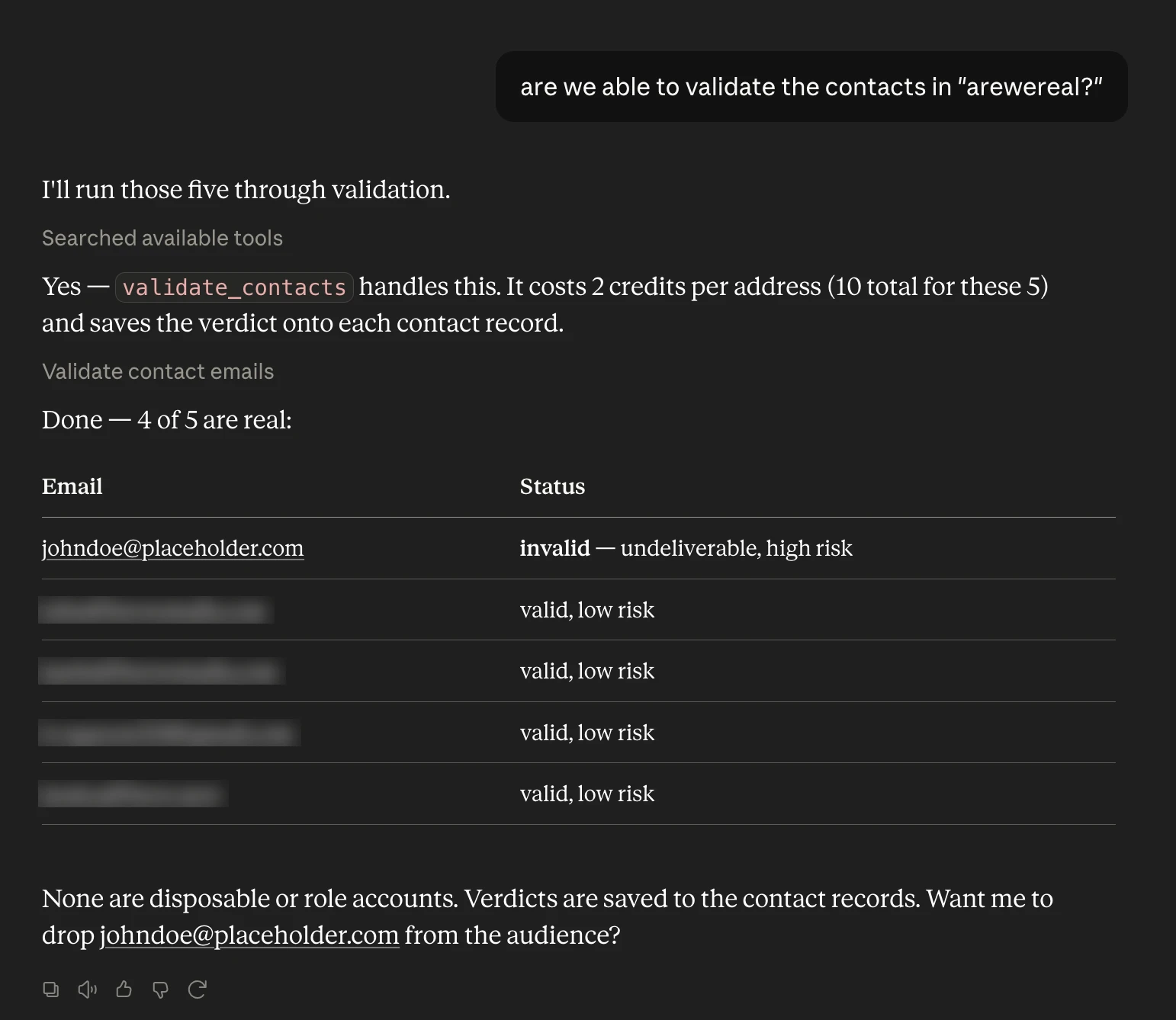
If Brew is connected to your AI client, the easiest flow is to ask for your audiences, pick one, and validate it:“List my audiences.”
“Validate the contacts in the newsletter audience.”The agent lists audiences with
list_audiences (or the brew://audiences resource), reads the chosen audience’s addresses with search_contacts and its audienceId, and passes them to validate_contacts, up to 100 per call. It replies with the verdict counts and the addresses that came back risky or invalid. The update_contact tool takes the same opt-in validation (validate: true) as the UI checkboxes. update_contacts_csv doesn’t validate, so call validate_contacts after a bulk update.
From the API
The same check is available on three endpoints:POST /v1/contacts/validatechecks up to 100 addresses at once and writes the verdict back onto matching contacts. Each result carriesrisk,isDisposable, andisRolesignals alongsidereasonanddidYouMean.POST /v1/contactsandPOST /v1/contacts/import-csvaccept an optionalvalidate: trueto check each address as it’s ingested. Up to 100 addresses validate inline; larger submissions upsert first and validate as a background job, returning avalidationJobId.
brew.contacts.validate(...), and the ingestion methods take the same validate flag. The contact’s verdict field is named validationStatus.
If no check completes, the call returns 503 and you aren’t billed. Retry a transient outage, and contact support for a configuration failure. A batch that completes with no conclusive verdict can return 200, also free.
In a partially successful batch, an address Brew couldn’t score keeps status: risky for compatibility, with checkOutcome: unavailable and reason: validation_unavailable. It doesn’t overwrite a stored verdict. Check checkOutcome to tell it apart from a completed risky verdict.
The response’s persistence counts report matching contacts, modified contacts, and failed writes.
Validation doesn’t grant marketing permission or remove a suppression. An invalid verdict blocks sending, while a risky verdict doesn’t block it automatically. Technical suppression blocks marketing and transactional email, but a marketing opt-out doesn’t block transactional email.
What to Do with the Verdicts
- Valid contacts need nothing. Send as usual.
- Risky contacts deserve a look before a big send. Role accounts rarely engage, disposable addresses churn fast, and catch-all domains can’t be confirmed either way. Consider excluding them from your primary sending audience.
- Invalid contacts should leave your active audience. Sending to them produces hard bounces, and hard bounces hurt every future send. See Audience Hygiene for the wider cleanup routine.
Need Help?
Our team is ready to support you at every step of your journey with Brew. Choose the option that works best for you:- Self-Service Tools
- Talk to Our Team
Search Documentation
Type in the “Ask any question” search bar at the top left to instantly find relevant documentation pages.
Ask ChatGPT or Claude
Click here to open the Copy page menu at the top of this page, then send the page to ChatGPT, Claude, or your editor.